Sign In

Get Started

Detect ad policy risks on landing pages before Meta, Google, or TikTok reject your campaigns.

Works directly on landing pages for faster pre-launch checks across major ad platforms.

See how it detects ad policy issues in seconds

How It Works

1

Install the Extension

Add the AdComply Chrome extension to your browser.

2

Open the Landing Page

Visit the landing page you want to check before launching ads.

3

Paste Ad Creative & Scan

Enter your ad text inside the extension and start the compliance scan.

Scan Your Landing Page Now

Takes 10 seconds • No signup required

Example Analysis

Real example: how a landing page triggers ad rejection risks

Explore real ad compliance risk examples →
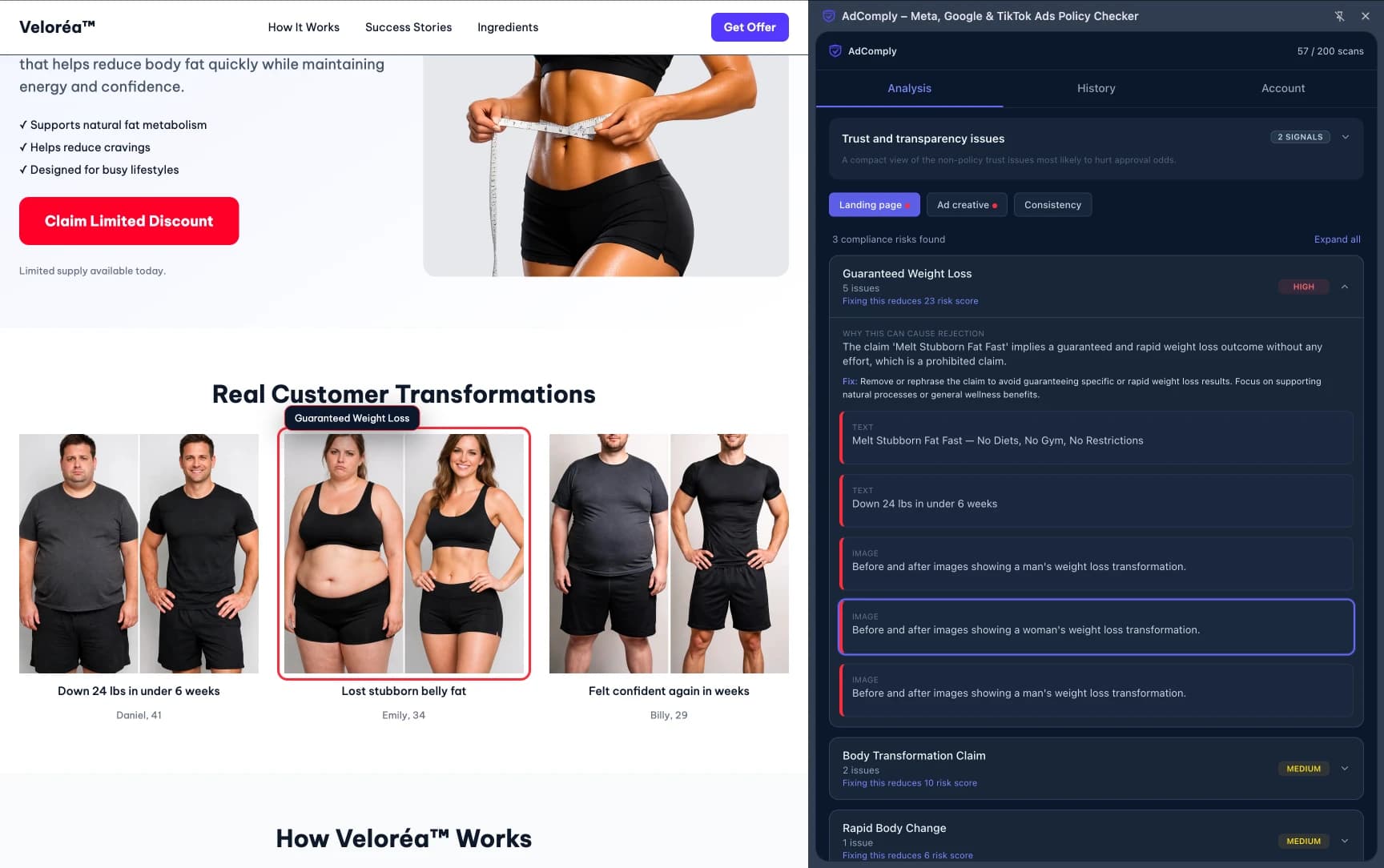
Example AdComply analysis detecting risky weight loss claims

Common Questions

What does AdComply analyze?
AdComply analyzes landing pages and ad creatives to detect potential advertising policy violations before campaigns go live.
Which ad platforms are supported?
AdComply helps teams catch compliance risks before launch across Meta, Google, and TikTok, with ongoing improvements to platform-specific coverage and detection quality.
Do I need to provide the ad creative?
Providing the ad creative improves detection accuracy because AdComply can compare ad messaging with the landing page.
Does AdComply store landing pages?
No. The extension analyzes the page directly in your browser session. Your landing pages are not stored.
How long does a scan take?
Most compliance scans complete within a few seconds depending on the page size and ad content.